What is a CDN (Content Delivery Network)?

Imagine ordering a pizza from a restaurant across town versus one right around the corner. Which arrives faster and hotter? The nearby pizzeria, of course. This simple analogy perfectly illustrates how Content Delivery Networks (CDNs) work for websites.
In today’s digital landscape, website visitors expect lightning-fast loading times regardless of where they’re located globally. A CDN makes this possible by bringing your website’s content closer to users, dramatically improving their browsing experience. Whether you’re running a personal blog, an e-commerce store, or a corporate website, understanding CDNs can be the difference between keeping visitors engaged and watching them bounce to competitors.
This comprehensive guide will demystify CDN technology, explore its benefits, and help you determine if your website needs one. By the end, you’ll understand exactly how CDNs work and which provider might be the best fit for your specific needs—with special focus on WordPress-friendly solutions that can transform your site’s performance.
Understanding CDN Basics: What Exactly is a Content Delivery Network?
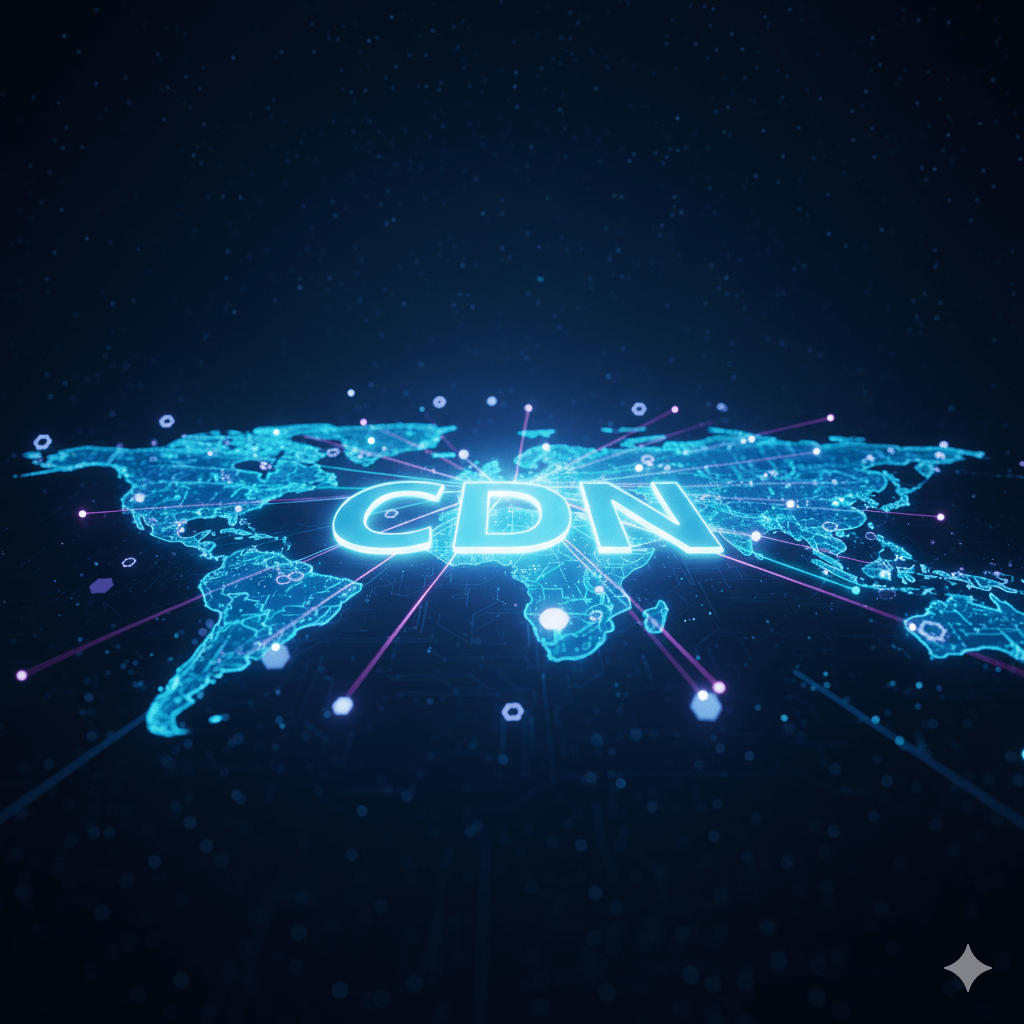
A Content Delivery Network (CDN) is a geographically distributed network of servers designed to deliver web content to users from the location closest to them. Think of it as having multiple copies of your website stored in data centers around the world, ready to serve visitors instantly.
When someone visits your website, instead of their request traveling potentially thousands of miles to your main server (called the origin server), the CDN automatically routes them to the nearest edge server. This dramatically reduces loading times and creates a smoother user experience (Source).
The concept isn’t entirely new. CDNs evolved from the early internet’s need to handle increasing traffic and reduce the strain on individual servers. What started as a solution for large corporations has now become accessible to websites of all sizes, with some providers even offering free tiers specifically designed for WordPress sites and content management systems.
For WordPress users specifically, CDNs have become essential tools because WordPress sites often struggle with performance due to their dynamic nature and plugin dependencies. A well-configured CDN can transform a sluggish WordPress site into a lightning-fast experience that keeps visitors engaged.
How CDNs Work: The Technical Magic Made Simple
Understanding how CDNs operate requires grasping a few key concepts, but don’t worry—we’ll keep it straightforward while diving deep into the mechanics.
The Complete CDN Process: From Request to Response
Step 1: Initial Setup and Content Distribution When you first configure a CDN for your WordPress site, the system begins by crawling your website to identify all static assets—images, CSS files, JavaScript libraries, fonts, and other resources. These files are then copied and distributed across the CDN’s global network of edge servers.
Step 2: DNS Integration and Routing The CDN provider typically gives you a CNAME record to update in your DNS settings. This redirect tells browsers to fetch certain content from the CDN’s servers instead of your origin server. Advanced CDN providers use GeoDNS technology that automatically detects a visitor’s location and provides them with the IP address of the nearest edge server.
Step 3: Intelligent Request Processing When a user requests your WordPress site, their browser makes multiple HTTP requests—one for the HTML page from your server, and separate requests for images, CSS, and JavaScript from the CDN. The CDN’s edge server checks its cache for the requested content:
- Cache Hit: If the content exists and isn’t expired, it’s served immediately
- Cache Miss: If the content isn’t cached, the edge server fetches it from your origin server, caches it for future requests, then delivers it to the user
- Stale Content Handling: Advanced CDNs can serve slightly outdated content while fetching fresh versions in the background
Step 4: Performance Optimization Modern CDNs don’t just store and serve content—they actively optimize it. This includes:
- Image compression and format conversion (WebP, AVIF)
- Minification of CSS and JavaScript files
- Gzip/Brotli compression for faster transfers
- HTTP/2 and HTTP/3 protocol support for multiplexed connections
Points of Presence (PoPs) and Edge Server Technology
CDN providers establish Points of Presence (PoPs)—strategic locations where they deploy clusters of edge servers. The sophistication of these locations varies significantly between providers.
Tier 1 PoPs are major data centers in metropolitan areas with:
- Multiple redundant servers and network connections
- Direct peering agreements with major ISPs
- Advanced caching algorithms and content pre-loading
- Local technical staff for immediate issue resolution
Tier 2 PoPs are smaller installations in secondary markets featuring:
- Fewer servers but still redundant infrastructure
- Automated monitoring and remote management
- Basic caching with less predictive capability
- Reliance on Tier 1 PoPs for content that’s not locally cached
The quality and distribution of PoPs matters more than sheer quantity. A CDN with 50 well-optimized, strategically placed PoPs often outperforms networks with 200+ poorly managed locations.
Advanced Caching Mechanisms
Modern CDNs employ sophisticated caching strategies that go far beyond simple file storage:
Multi-Tier Caching Architecture
- Browser Cache: Content stored locally on user devices
- Edge Cache: Content at the nearest PoP
- Regional Cache: Intermediate storage serving multiple edge locations
- Origin Shield: Additional caching layer protecting your origin server
Intelligent Cache Management
- Popularity-Based Caching: Frequently requested content gets priority storage
- Predictive Pre-loading: AI algorithms anticipate content needs based on traffic patterns
- Geographic Optimization: Different caching rules for different regions based on local preferences
- Time-Sensitive Caching: Dynamic TTL (Time To Live) values based on content type and update frequency
Key Benefits of Using a CDN: Beyond Just Speed
CDNs offer multiple advantages that can significantly impact your website’s performance, security, and operational costs.
Dramatic Speed Improvements with Measurable Impact
The primary benefit of CDNs is faster loading times, but the impact goes deeper than simple distance reduction. Modern CDNs can improve website performance through multiple mechanisms:
Latency Reduction: By serving content from geographically closer servers, CDNs can reduce loading times by 50-80%. A website hosted in New York serving users in Tokyo might see page load times drop from 3.5 seconds to under 1 second with proper CDN implementation (Source).
Connection Optimization: CDNs maintain persistent connections and use advanced protocols like HTTP/2 and HTTP/3, allowing multiple resources to be downloaded simultaneously rather than sequentially.
Resource Prioritization: Smart CDNs can prioritize critical rendering path resources, ensuring that essential CSS and JavaScript load before less important assets like tracking scripts or social media widgets.
Bandwidth Optimization: Through compression, minification, and format optimization, CDNs often deliver the same content using 40-60% less bandwidth, which translates directly to faster loading times, especially on mobile connections.
Enhanced Reliability and Fault Tolerance
CDNs provide multiple layers of redundancy that make websites significantly more resilient:
Geographic Redundancy: If an entire data center goes offline, traffic automatically routes to the next nearest location. This geographic distribution means that regional outages, natural disasters, or infrastructure problems rarely affect your entire global audience.
Server-Level Redundancy: Within each PoP, multiple servers handle requests. If individual servers fail, load balancers instantly redirect traffic to healthy machines without any visible interruption to users.
Network Path Redundancy: Advanced CDNs maintain relationships with multiple internet service providers and can dynamically route traffic through the fastest, most reliable network paths available at any given moment.
Origin Protection: CDNs act as a shield for your origin server, absorbing traffic spikes and distributed attacks that might otherwise overwhelm your hosting infrastructure.
Comprehensive Security Protection
Modern CDNs include robust security features that extend far beyond basic DDoS protection:
DDoS Mitigation: CDNs can absorb and filter massive distributed attacks—some providers regularly handle attacks exceeding 1 Tbps without impacting legitimate traffic. They use rate limiting, traffic analysis, and challenge-response systems to distinguish between real users and malicious bots (Source).
Web Application Firewalls (WAF): Advanced filtering systems analyze incoming requests for known attack patterns, SQL injection attempts, cross-site scripting (XSS) attacks, and other threats. These systems update continuously based on global threat intelligence.
SSL/TLS Management: Many CDNs provide free SSL certificates with automatic renewal, modern cipher suites, and support for the latest security protocols. Some offer advanced features like Certificate Authority Authorization (CAA) and HTTP Public Key Pinning (HPKP).
Bot Management: Sophisticated systems identify and handle automated traffic, allowing good bots (like search engine crawlers) while blocking malicious scrapers, spam bots, and other unwanted automated requests.
Significant Cost Optimization
By serving cached content from edge servers, CDNs provide substantial cost savings:
Bandwidth Reduction: CDNs typically reduce origin server bandwidth usage by 60-80%, which directly translates to lower hosting costs for sites with high traffic volumes (Source).
Infrastructure Scaling: Instead of upgrading your hosting plan to handle traffic spikes, CDNs can absorb increased demand without requiring changes to your origin server infrastructure.
Operational Efficiency: Automated optimization, monitoring, and scaling reduce the time and expertise needed to maintain high-performance websites.
Types of Content CDNs Handle: Static, Dynamic, and Everything Between
Understanding what content works best with CDNs helps optimize your implementation strategy and maximize performance benefits.
Static Content: The CDN Sweet Spot
Static content remains unchanged for all users and represents the easiest wins for CDN implementation:
Images and Media Files:
- Product photos, blog images, and graphics
- Videos, audio files, and downloadable content
- Different formats and sizes (thumbnails, full-resolution, mobile-optimized)
- Modern CDNs can automatically convert images to optimal formats (WebP, AVIF) based on browser support
Web Assets:
- CSS stylesheets and their dependencies
- JavaScript libraries and custom scripts
- Web fonts and icon libraries
- Downloadable documents (PDFs, presentations, software)
WordPress-Specific Assets:
- Theme files and customizations
- Plugin resources and libraries
- Media library content
- Backup files and exports
These files are perfect for CDN caching because they don’t require server-side processing for each request and typically don’t change frequently.
Dynamic Content: The Modern Challenge and Solutions
Dynamic content changes based on user interactions, personalization, or real-time data. Traditional CDNs struggled with this content, but modern providers have developed sophisticated solutions:
Partially Dynamic Content:
- Blog posts and pages that update occasionally
- Product listings with changing inventory
- User-generated content and comments
- Personalized recommendations
Highly Dynamic Content:
- Shopping carts and checkout processes
- User account pages and dashboards
- Real-time chat and messaging systems
- Live data feeds and social media integrations
Modern CDN Solutions for Dynamic Content:
Edge Side Includes (ESI): Allows caching portions of dynamic pages while keeping personalized sections fresh. For example, a product page might cache the description and images while dynamically loading current pricing and availability.
Edge Computing: Enables server-side processing at edge locations, allowing personalization and dynamic content generation without the latency of returning to origin servers.
Intelligent Caching: Machine learning algorithms determine what dynamic content can be safely cached and for how long, based on usage patterns and content update frequencies.
Cache Tags and Purging: Advanced systems allow selective cache invalidation, so when a product price changes, only the affected pages need cache refresh rather than clearing all related content.
WordPress-Focused CDN Providers: Specialized Solutions for Content Management
The WordPress ecosystem has spawned several CDN providers that specifically cater to WordPress users, offering easier integration, WordPress-specific optimizations, and features designed around content management workflows.

QUIC.cloud: The LiteSpeed-Powered Performance Engine
QUIC.cloud represents a new generation of CDN specifically designed for WordPress sites, particularly those running LiteSpeed web servers. Built by the creators of LiteSpeed Web Server, QUIC.cloud offers deep integration with WordPress through their ecosystem of optimization plugins.
Technical Architecture: QUIC.cloud leverages the HTTP/3 QUIC protocol (hence the name) for ultra-low latency connections. Unlike traditional CDNs that retrofit HTTP/3 support, QUIC.cloud was built from the ground up with this next-generation protocol, resulting in superior performance for modern browsers.
WordPress-Specific Features:
- Native LiteSpeed Cache Integration: Seamless connection with the popular LiteSpeed Cache plugin
- WordPress Multisite Support: Optimized handling of WordPress networks and multisite installations
- Plugin Compatibility Testing: Extensive testing ensures compatibility with popular WordPress plugins
- WooCommerce Optimization: Special handling for e-commerce functionality, including cart preservation and checkout optimization
Performance Capabilities:
- Image Optimization: Automatic WebP conversion with fallbacks for older browsers
- Critical CSS Generation: Automatic above-the-fold CSS optimization
- Database Optimization: Edge-side database query caching for WordPress
- Mobile-First Optimization: Specialized mobile performance enhancements
Pricing and Plans: QUIC.cloud offers competitive pricing starting with a generous free tier:
- Free Plan: 5GB monthly bandwidth, basic CDN functionality
- Personal Plan ($9.95/month): 100GB bandwidth, image optimization, mobile optimization
- Business Plan ($19.95/month): 400GB bandwidth, priority support, advanced features
- Enterprise Plans: Custom pricing for high-volume sites
Best For: WordPress sites using LiteSpeed hosting, performance-focused developers, sites requiring HTTP/3 optimization, and users wanting deep WordPress ecosystem integration.
MaxCDN/StackPath: Enterprise WordPress Solutions
StackPath (which acquired MaxCDN) provides enterprise-grade CDN services with strong WordPress integration through partnerships with major WordPress hosts and plugin developers.
WordPress Ecosystem Integration:
- Plugin Partnerships: Native integration with W3 Total Cache, WP Rocket, and other major caching plugins
- WordPress Host Partnerships: Preferred CDN provider for several managed WordPress hosting companies
- Developer Tools: Advanced APIs and tools for WordPress developers and agencies
Technical Capabilities:
- Instant Purging: Real-time cache invalidation when WordPress content updates
- WordPress-Specific Caching Rules: Pre-configured caching policies optimized for WordPress
- WooCommerce Support: E-commerce specific optimizations and caching strategies
- Multisite Management: Centralized management for WordPress multisite networks
Security Features:
- WordPress-Focused WAF Rules: Security rules specifically designed to protect against WordPress vulnerabilities
- Plugin Vulnerability Protection: Proactive blocking of requests targeting known WordPress plugin vulnerabilities
- Brute Force Protection: Specialized protection against WordPress login attacks
Performance Features:
- WordPress Asset Optimization: Automatic minification and compression of WordPress themes and plugins
- Database Query Optimization: Edge-side caching of database queries for improved performance
- Mobile WordPress Optimization: Mobile-specific optimizations for WordPress themes
Pricing Structure: StackPath uses bandwidth-based pricing with WordPress-optimized plans:
- Starter Plan ($10/month): 1TB bandwidth, basic features
- Growth Plan ($20/month): 2TB bandwidth, advanced optimization
- Scale Plan ($40/month): 5TB bandwidth, priority support
- Enterprise Plans: Custom pricing for high-volume WordPress installations
Best For: WordPress agencies managing multiple client sites, enterprise WordPress installations, sites requiring extensive security features, and businesses needing dedicated WordPress support.
KeyCDN: Developer-Friendly WordPress Integration
KeyCDN has built a strong reputation among WordPress developers for its straightforward pricing, excellent performance, and developer-friendly features.
WordPress Integration Approach: KeyCDN focuses on providing excellent APIs and integration tools rather than proprietary WordPress plugins, making it popular among developers who prefer control over their optimization stack.
Technical Architecture:
- Global Network: 10 PoPs strategically distributed across major continents
- SSD-Only Storage: All edge servers use solid-state drives for maximum performance
- HTTP/2 Support: Full support for modern protocols with automatic optimization
- Real-Time Analytics: Comprehensive performance monitoring and reporting
WordPress-Specific Features:
- WordPress Plugin: Free official plugin for easy integration
- Origin Shield: Additional caching layer to protect WordPress origin servers
- Image Processing: On-the-fly image optimization and format conversion
- Purge API: Advanced cache invalidation for WordPress content updates
Performance Optimization:
- Brotli Compression: Advanced compression algorithm for smaller file sizes
- Smart Caching: Intelligent caching rules optimized for WordPress content patterns
- Mobile Optimization: Separate mobile-optimized content delivery
- Geographic Performance: Optimized routing based on visitor location
Pricing Philosophy: KeyCDN uses transparent, pay-as-you-use pricing:
- Pay-Per-Use: $0.04 per GB for bandwidth, no monthly minimums
- Volume Discounts: Automatic price reductions for higher usage
- No Setup Fees: Immediate activation without upfront costs
- Transparent Billing: Detailed usage reports and predictable costs
Security and Reliability:
- Let’s Encrypt Integration: Free SSL certificates with automatic renewal
- DDoS Protection: Basic protection against distributed attacks
- Uptime Guarantee: 99.9% uptime SLA with compensation for outages
- 24/7 Monitoring: Continuous monitoring of all network infrastructure
Best For: WordPress developers seeking granular control, agencies with variable traffic patterns, cost-conscious site owners, and users who prefer pay-per-use pricing models.

BunnyCDN: The WordPress Community Favorite, and our go-to CDN choice
BunnyCDN has become extremely popular in the WordPress community due to its combination of excellent performance, transparent pricing, and user-friendly interface. It is also our go-to CDN. Feel free to use our Affiliate Link to sign up if you want to support us!
WordPress Community Integration: BunnyCDN has actively cultivated relationships within the WordPress community through:
- Community Engagement: Regular participation in WordPress forums and communities
- Plugin Compatibility: Extensive testing with popular WordPress optimization plugins
- Educational Content: WordPress-specific tutorials and optimization guides
- Community Feedback: Rapid implementation of features requested by WordPress users
Technical Infrastructure:
- Global Edge Network: 14+ PoPs across 6 continents with plans for continued expansion
- SSD Storage: High-performance solid-state drives across all edge locations
- Multiple CDN Zones: Ability to create separate CDN zones for different WordPress sites or purposes
- Advanced Analytics: Detailed performance and usage analytics with WordPress-specific metrics
WordPress-Specific Optimizations:
- WordPress Plugin: Official plugin with easy setup and management
- Image Optimization: Built-in image compression and format optimization
- CSS/JS Optimization: Automatic minification and compression of WordPress assets
- Mobile-First Delivery: Optimized content delivery for mobile WordPress users
Advanced Features:
- Stream Service: Integrated video streaming solution for WordPress sites with video content
- Storage Zones: Cost-effective storage solution for WordPress backups and media files
- DNS Service: Integrated DNS management with WordPress-optimized configurations
- Edge Rules: Custom caching and optimization rules for specific WordPress needs
Pricing and Value: BunnyCDN’s pricing is among the most competitive in the industry:
- Standard CDN: $1 per TB of bandwidth
- Volume Tiers: Discounts for higher usage volumes
- Storage Pricing: $0.01 per GB for storage zones
- No Minimum Fees: Pay only for what you use
Performance Benchmarks: Independent testing consistently shows BunnyCDN among the top performers:
- Global Performance: Excellent performance across all tested regions
- TTFB (Time to First Byte): Consistently low latency across the network
- Cache Hit Ratios: High cache efficiency reducing origin server load
- Uptime Statistics: 99.9%+ uptime across all network locations (Source)
Best For: WordPress site owners seeking maximum value, small to medium businesses, developers managing multiple WordPress projects, and users prioritizing cost-effectiveness without sacrificing performance.

Cloudflare: The Free Tier Champion for WordPress
While Cloudflare isn’t exclusively focused on WordPress, its generous free tier and WordPress-friendly features have made it extremely popular among WordPress users.
WordPress Integration Strengths:
- Popular Plugin Support: Excellent integration with major WordPress caching plugins
- WordPress.com Partnership: Preferred CDN provider for WordPress.com sites
- Community Resources: Extensive WordPress-specific documentation and tutorials
- Plugin Ecosystem: Multiple third-party WordPress plugins for enhanced integration
Free Tier Benefits for WordPress: Cloudflare’s free plan includes features that typically cost money with other providers:
- Unlimited Bandwidth: No restrictions on CDN bandwidth usage
- Global CDN: Access to Cloudflare’s entire global network
- Basic Security: DDoS protection and basic firewall rules
- SSL Certificates: Free SSL with automatic renewal
- Basic Analytics: Traffic and performance monitoring
WordPress-Specific Features:
- Automatic Platform Optimization: WordPress-specific performance enhancements
- Image Optimization: Polish feature for automatic image optimization
- Mobile Optimization: Mirage technology for mobile performance
- WordPress Plugin: Official Cloudflare plugin for WordPress integration
Advanced WordPress Features (Paid Plans):
- Image Resizing: On-the-fly image resizing for responsive WordPress themes
- Workers: Edge computing for dynamic WordPress functionality
- Argo Smart Routing: Intelligent routing for optimal performance
- Load Balancing: Advanced traffic distribution for high-traffic WordPress sites
Security Features for WordPress:
- WAF Rules: Web Application Firewall with WordPress-specific protection rules
- Rate Limiting: Protection against brute force attacks on WordPress login pages
- IP Reputation: Automatic blocking of known malicious IP addresses
- Bot Management: Advanced bot detection and management capabilities
Limitations to Consider:
- Limited Control: Less granular control compared to specialized WordPress CDNs
- Support Quality: Free plan users receive community support only
- Feature Restrictions: Many advanced features require paid plans
- WordPress-Specific Optimization: Less specialized for WordPress compared to dedicated providers
Best For: WordPress beginners, budget-conscious site owners, sites with unpredictable traffic patterns, and users wanting to experiment with CDN benefits without financial commitment.
Deep Dive into CDN Architecture and WordPress Integration
Understanding how CDNs integrate with WordPress at a technical level helps optimize implementation and troubleshoot issues.
WordPress-CDN Integration Methods
DNS-Level Integration: This method involves updating your domain’s DNS records to point certain subdomains (like cdn.yoursite.com) to the CDN provider. WordPress then references these CDN URLs for static assets.
Advantages:
- Clean separation between origin and CDN content
- Easy to implement and manage
- Compatible with all WordPress hosting environments
- Full control over what content uses the CDN
Disadvantages:
- Requires DNS management access
- Additional subdomain setup and SSL certificate management
- Potential for mixed content issues if not properly configured
Plugin-Based Integration: WordPress plugins handle CDN integration automatically, rewriting URLs in your site’s HTML to point to CDN endpoints.
Popular WordPress CDN Plugins:
- W3 Total Cache: Comprehensive caching solution with CDN integration for multiple providers
- WP Rocket: Premium caching plugin with built-in CDN support
- LiteSpeed Cache: Free plugin with excellent QUIC.cloud integration
- CDN Enabler: Lightweight plugin focused specifically on CDN functionality
Plugin Integration Benefits:
- No DNS changes required
- Automatic URL rewriting
- Easy activation and deactivation
- Integration with other performance optimizations
Plugin Limitations:
- Potential plugin conflicts
- Additional plugin overhead
- Dependency on plugin updates and maintenance
- May not work with all themes and page builders
WordPress Caching Hierarchy with CDNs
Understanding how CDNs fit into WordPress caching creates a comprehensive performance optimization strategy:
Level 1: Browser Caching
- User’s browser stores static assets locally
- Controlled by HTTP headers set by CDN
- Reduces requests for subsequent page visits
- CDNs optimize cache headers for maximum efficiency
Level 2: CDN Edge Caching
- CDN stores copies of your content at edge servers worldwide
- Handles the majority of static asset requests
- Automatically optimizes and compresses content
- Provides geographic performance optimization
Level 3: WordPress Object Caching
- Caches database queries and PHP operations
- Reduces server processing for dynamic content
- Works alongside CDN for comprehensive optimization
- Essential for high-traffic WordPress sites
Level 4: WordPress Page Caching
- Stores complete HTML pages as static files
- Bypasses PHP processing for cached pages
- Integrates with CDN for static asset delivery
- Provides maximum performance for frequently accessed content
Level 5: Database Query Caching
- Caches results of database queries
- Reduces database server load
- Works in conjunction with CDN caching
- Critical for database-intensive WordPress sites
Advanced WordPress CDN Optimization Techniques
Critical Rendering Path Optimization: Modern CDNs can analyze your WordPress theme and prioritize the loading of critical CSS and JavaScript needed for above-the-fold content rendering.
Lazy Loading Integration: CDNs can work with WordPress lazy loading plugins to optimize image delivery, loading images only when they’re about to enter the viewport.
Database Query Optimization: Advanced CDNs can cache database queries at edge servers, reducing the load on your WordPress database and improving performance for dynamic content.
Mobile-First Optimization: CDNs can serve different optimized versions of your content based on device type, ensuring mobile users receive appropriately sized images and optimized code.
Comprehensive CDN Pricing Analysis and ROI Calculations
Understanding CDN pricing helps make informed decisions about which provider offers the best value for your specific WordPress site.
Pricing Model Comparison
Bandwidth-Based Pricing: Most CDN providers charge based on the amount of data transferred:
- Advantages: Pay only for actual usage, predictable costs for stable traffic
- Disadvantages: Costs can spike with traffic surges, difficult to budget for growth
Request-Based Pricing: Some providers charge per million HTTP requests:
- Advantages: Better cost control for sites with many small files
- Disadvantages: Can be expensive for image-heavy WordPress sites
Flat-Rate Pricing: Fixed monthly costs regardless of usage (within limits):
- Advantages: Predictable budgeting, good value for high-traffic sites
- Disadvantages: May pay for unused capacity, less flexibility
Hybrid Pricing Models: Combination of bandwidth and request pricing:
- Advantages: Balanced approach that scales with actual usage patterns
- Disadvantages: More complex pricing structure to understand and predict
Detailed Cost Analysis for Different WordPress Site Types
Personal Blog (Low Traffic):
- Monthly page views: 10,000-50,000
- Bandwidth usage: 5-25GB
- Estimated costs:
- QUIC.cloud: Free to $9.95/month
- BunnyCDN: $0.01-$0.25/month
- Cloudflare: Free
- KeyCDN: $0.20-$1.00/month
Business Website (Medium Traffic):
- Monthly page views: 100,000-500,000
- Bandwidth usage: 50-250GB
- Estimated costs:
- QUIC.cloud: $9.95-$19.95/month
- BunnyCDN: $0.05-$2.50/month
- Cloudflare: Free to $20/month
- KeyCDN: $2.00-$10.00/month
E-commerce Site (High Traffic):
- Monthly page views: 500,000-2,000,000
- Bandwidth usage: 250-1000GB
- Estimated costs:
- QUIC.cloud: $19.95-$39.95/month
- BunnyCDN: $2.50-$10.00/month
- Cloudflare: $20-$200/month
- KeyCDN: $10.00-$40.00/month
ROI Calculation Framework
Performance Improvement Metrics:
- Page Load Time Reduction: Measure seconds saved per page load
- Conversion Rate Improvement: Track increased sales/sign-ups due to faster loading
- SEO Ranking Benefits: Monitor search engine ranking improvements
- User Experience Enhancement: Measure reduced bounce rates and increased engagement
Cost Savings Calculations:
- Bandwidth Savings: Calculate reduced origin server bandwidth costs
- Infrastructure Scaling Avoidance: Estimate costs of server upgrades avoided
- Developer Time Savings: Value of automated optimization and management
- Security Incident Prevention: Estimate costs of security breaches prevented
Revenue Impact Assessment: Studies show that:
- 1-second page load improvement can increase conversions by 7% (Source)
- 53% of mobile users abandon sites that take longer than 3 seconds to load
- Google considers page speed as a ranking factor for search results
- Faster sites typically see 10-20% improvement in user engagement metrics
Implementation Best Practices for WordPress CDN Integration
Successful CDN implementation requires careful planning, testing, and optimization specifically tailored to WordPress environments.
Pre-Implementation Assessment
WordPress Site Analysis: Before implementing a CDN, conduct a thorough analysis of your WordPress site:
Performance Baseline Establishment:
- Use tools like GTmetrix, Google PageSpeed Insights, and WebPageTest
- Test from multiple global locations to understand geographic performance variations
- Document current loading times, TTFB, and user experience metrics
- Identify the largest performance bottlenecks and optimization opportunities
Content Audit:
- Catalog all static assets (images, CSS, JavaScript, fonts)
- Identify dynamic content that might benefit from edge caching
- Document current file sizes and optimization opportunities
- Assess mobile vs. desktop content delivery needs
Traffic Pattern Analysis:
- Review analytics to understand visitor geographic distribution
- Identify peak traffic periods and seasonal variations
- Assess current bandwidth usage and costs
- Understand user behavior patterns and content consumption
WordPress-Specific Implementation Strategy
Plugin Selection and Configuration: Choose the right WordPress plugin for your CDN integration:
W3 Total Cache Configuration:
- Configure CDN settings for your chosen provider
- Enable object caching and database caching for comprehensive optimization
- Set appropriate cache expiration times for different content types
- Configure mobile-specific caching if needed
WP Rocket Setup:
- Enable CDN integration and configure your provider settings
- Activate image optimization and lazy loading features
- Configure caching exclusions for dynamic content
- Enable database cleanup and optimization features
LiteSpeed Cache Optimization:
- Connect to QUIC.cloud for seamless integration
- Configure image optimization settings
- Enable critical CSS generation for improved rendering
- Set up cache tags for precise cache management
Theme and Plugin Compatibility Testing:
- Test all WordPress themes and plugins with CDN enabled
- Verify that visual elements load correctly from CDN
- Check that functionality remains intact (contact forms, e-commerce, etc.)
- Test with different browsers and devices
Advanced Configuration and Optimization
Cache Headers Optimization: Configure appropriate cache headers for different content types:
Static Assets (Images, CSS, JS):
- Set long expiration times (1 year for versioned assets)
- Enable compression and optimization
- Configure appropriate MIME types
- Implement cache-busting for updated content
Dynamic Content:
- Set shorter expiration times for frequently updated content
- Use cache tags for selective invalidation
- Configure edge-side includes for partially dynamic content
- Implement proper cache invalidation workflows
WordPress-Specific Caching Rules:
- Exclude admin areas and user-specific content from caching
- Configure appropriate caching for WordPress REST API endpoints
- Handle WordPress cookies and user sessions correctly
- Set up proper caching for WooCommerce and other e-commerce functionality
Security Configuration:
- Configure WAF rules appropriate for WordPress
- Set up rate limiting for login pages and forms
- Enable bot protection and bad bot blocking
- Configure SSL/TLS settings and security headers
Monitoring and Optimization
Performance Monitoring Setup: Implement comprehensive monitoring to track CDN performance and optimize over time:
Real User Monitoring (RUM):
- Track actual user experience metrics
- Monitor Core Web Vitals and WordPress-specific performance indicators
- Set up alerting for performance degradation
- Analyze performance by geographic location and device type
Synthetic Monitoring:
- Set up automated testing from multiple locations
- Monitor uptime and availability continuously
- Track performance trends over time
- Test critical user journeys and WordPress functionality
CDN Analytics Review:
- Monitor cache hit ratios and optimize for better performance
- Analyze bandwidth usage and cost optimization opportunities
- Review security events and blocked threats
- Track geographic performance and user distribution
Continuous Optimization Process:
- Regular review of cache settings and expiration times
- Ongoing optimization of images and static assets
- Performance testing after WordPress updates and changes
- Security review and rule updates based on threat landscape
Troubleshooting Common WordPress CDN Issues
Understanding common issues and their solutions helps maintain optimal CDN performance for WordPress sites.
SSL and Mixed Content Issues
Problem: WordPress sites loading some content over HTTP and others over HTTPS, causing browser security warnings.
Solutions:
- Ensure CDN SSL certificates are properly configured
- Update WordPress site URLs to use HTTPS consistently
- Configure CDN to serve all content over HTTPS
- Use plugins like SSL Insecure Content Fixer for automatic HTTPS enforcement
WordPress Plugin Conflicts
Problem: Some WordPress plugins don’t work correctly with CDN-served assets.
Solutions:
- Exclude problematic plugin files from CDN caching
- Configure plugin-specific caching rules
- Update plugins to versions with better CDN compatibility
- Work with plugin developers to resolve compatibility issues
Cache Invalidation Problems
Problem: Updated WordPress content doesn’t appear immediately due to CDN caching.
Solutions:
- Configure automatic cache purging when WordPress content updates
- Set up cache tags for granular invalidation control
- Implement proper cache-busting for updated assets
- Train content editors on cache management procedures
Mobile Performance Issues
Problem: Mobile users experience poor performance despite CDN implementation.
Solutions:
- Configure mobile-specific optimization rules
- Implement responsive image delivery
- Enable mobile-first CDN optimization features
- Test mobile performance regularly and adjust
Geographic Performance Inconsistencies
Problem: Users in certain geographic regions experience poor performance despite global CDN coverage.
Solutions:
- PoP Quality Assessment: Research the actual infrastructure quality in underperforming regions, not just PoP presence
- Regional Cache Optimization: Configure region-specific caching rules and TTL values based on local usage patterns
- Network Path Analysis: Use tools like traceroute and MTR to identify network routing issues between CDN PoPs and local ISPs
- Local ISP Peering: Choose CDN providers with strong peering agreements in your target markets
- Fallback Configuration: Set up intelligent failover to alternative PoPs when primary locations underperform
Dynamic Content Caching Challenges
Problem: WordPress sites with heavy dynamic content (user accounts, personalization, real-time data) don’t benefit fully from CDN caching.
Solutions:
- Edge Side Includes (ESI): Implement ESI to cache static portions of dynamic pages while keeping personalized sections fresh
- Cache Vary Headers: Use appropriate Vary headers to cache different versions of content based on user agents, languages, or other factors
- Edge Computing: Leverage CDN edge computing capabilities to process dynamic content closer to users
- API Caching: Implement intelligent caching for WordPress REST API endpoints used by dynamic features
- Progressive Enhancement: Design pages to load cached static content first, then enhance with dynamic elements via JavaScript
Future-Proofing Your WordPress CDN Strategy
The CDN landscape continues evolving rapidly, with new technologies and capabilities that will reshape how WordPress sites deliver content.
Emerging Technologies Impacting WordPress CDNs
HTTP/3 and QUIC Protocol Adoption: The next generation of web protocols offers significant benefits for WordPress sites:
Performance Improvements:
- Reduced Connection Setup Time: QUIC eliminates the multiple round trips required by TCP, reducing initial connection latency by 30-50%
- Multiplexing Without Head-of-Line Blocking: Unlike HTTP/2, QUIC prevents one slow resource from blocking others
- Connection Migration: Mobile users can maintain connections when switching between WiFi and cellular networks
- Improved Loss Recovery: Better handling of packet loss results in more consistent performance
WordPress-Specific Benefits:
- Faster Plugin Loading: WordPress sites with many plugins benefit from improved multiplexing
- Better Mobile Performance: Connection migration particularly benefits mobile WordPress users
- Reduced Server Load: More efficient connections reduce origin server processing requirements
Implementation Considerations:
- Choose CDN providers with native QUIC support (like QUIC.cloud) rather than retrofitted solutions
- Ensure your WordPress hosting environment supports HTTP/3
- Test compatibility with WordPress plugins and themes
- Monitor performance improvements and optimize configurations
WebAssembly at the Edge: WebAssembly (WASM) enables running compiled code at CDN edge servers, opening new possibilities for WordPress optimization:
Advanced Image Processing:
- Real-time image optimization based on device capabilities and network conditions
- Custom image filters and effects processed at the edge
- Advanced compression algorithms that adapt to content and user context
WordPress-Specific Processing:
- Edge-side WordPress shortcode processing
- Custom WordPress functionality executed closer to users
- Database query optimization and caching at edge locations
Performance Benefits:
- Near-native code execution speed at edge servers
- Reduced origin server load for computationally intensive tasks
- Lower latency for complex WordPress functionality
AI-Powered CDN Optimization
Machine Learning Content Optimization: Advanced CDNs are implementing AI systems that learn from your WordPress site’s traffic patterns:
Predictive Caching:
- AI algorithms analyze user behavior to predict what content will be requested next
- Automatic pre-loading of likely-to-be-requested WordPress pages and assets
- Geographic content prediction based on regional usage patterns
- Time-based optimization that accounts for content publishing schedules
Intelligent Compression:
- AI-driven compression that balances file size reduction with quality preservation
- Context-aware optimization based on content type and user device
- Automatic format selection (WebP, AVIF, JPEG-XL) based on browser support and image characteristics
Performance Optimization:
- Real-time adjustment of caching policies based on traffic patterns
- Automatic optimization of critical rendering path for WordPress themes
- Intelligent resource prioritization based on user engagement metrics
Edge Computing Evolution for WordPress
Serverless WordPress Functions at the Edge: CDN providers are expanding beyond content delivery to offer computing capabilities:
WordPress-Specific Edge Functions:
- User authentication and session management at edge locations
- Custom WordPress API endpoints executed globally
- Real-time content personalization without origin server requests
- Edge-side A/B testing and content experimentation
Database Synchronization:
- Read replicas synchronized to edge locations for faster WordPress database queries
- Intelligent query routing based on data freshness requirements
- Edge-side caching of WordPress database results with automatic invalidation
Benefits for WordPress Performance:
- Sub-100ms response times for dynamic WordPress functionality
- Reduced origin server load and infrastructure costs
- Global scalability without complex multi-region WordPress deployments
Security Evolution and WordPress Protection
Advanced Threat Protection: CDN security capabilities are becoming more sophisticated and WordPress-specific:
AI-Powered Bot Detection:
- Machine learning systems that distinguish between legitimate users, good bots (search engines), and malicious automated traffic
- WordPress-specific bot behavior analysis
- Real-time adaptation to new attack patterns and bot behaviors
Zero-Day Vulnerability Protection:
- Proactive protection against WordPress plugin and theme vulnerabilities before patches are available
- Behavioral analysis that detects exploitation attempts regardless of specific vulnerability knowledge
- Automatic rule generation based on WordPress security research and threat intelligence
Privacy-Compliant Security:
- GDPR and CCPA compliant security logging and monitoring
- User privacy protection while maintaining effective security measures
- Transparent security reporting for WordPress site owners
Sustainability and Green CDN Initiatives
Carbon Footprint Optimization: Environmental concerns are driving changes in CDN infrastructure:
Renewable Energy CDNs:
- CDN providers increasingly powering infrastructure with renewable energy
- Carbon offset programs for CDN usage
- Energy efficiency optimizations that reduce environmental impact
Efficiency Improvements:
- More efficient content delivery that reduces overall energy consumption
- Optimized routing that minimizes unnecessary data transfer
- Green hosting partnerships for origin server infrastructure
Advanced WordPress CDN Strategies for Different Use Cases
Different types of WordPress sites require tailored CDN strategies to maximize benefits and ROI.
WordPress E-commerce CDN Optimization
WooCommerce-Specific Considerations: E-commerce WordPress sites have unique requirements that impact CDN configuration:
Dynamic Content Challenges:
- Shopping carts must remain functional across CDN-cached pages
- User sessions and authentication need to work seamlessly
- Real-time inventory updates require careful cache management
- Personalized product recommendations need edge-side processing
Advanced E-commerce CDN Solutions:
Session Persistence:
- Configure CDN to maintain user sessions across cached and dynamic content
- Implement edge-side session storage for improved performance
- Ensure shopping cart functionality works correctly with CDN caching
- Set up proper cookie handling for user authentication
Inventory Management:
- Real-time inventory synchronization across edge locations
- Intelligent cache invalidation when product availability changes
- Edge-side inventory checking to prevent overselling
- Dynamic pricing updates without full page cache invalidation
Payment Security:
- PCI compliance considerations for CDN-cached e-commerce pages
- Secure handling of payment processing forms and data
- SSL/TLS configuration for payment pages and checkout processes
- Integration with payment processors that support CDN architectures
Conversion Optimization:
- A/B testing of product pages and checkout flows at edge locations
- Real-time personalization based on user behavior and purchase history
- Geographic pricing and currency conversion at edge servers
- Mobile-optimized checkout experiences delivered via CDN
WordPress Media and Publishing CDN Strategies
High-Traffic News and Media Sites: WordPress sites with heavy media content and traffic spikes require specialized CDN approaches:
Video Content Delivery:
- Integration with video CDN providers for streaming content
- Adaptive bitrate streaming based on user connection quality
- Geographic content rights management and geo-blocking capabilities
- Live streaming support for breaking news and events
Image-Heavy Content Optimization:
- Advanced image optimization and format conversion
- Responsive image delivery based on device capabilities
- Lazy loading integration with CDN optimization
- Progressive image loading for better perceived performance
Traffic Spike Management:
- Automatic scaling during viral content or breaking news events
- Origin server protection during traffic surges
- Emergency caching modes for crisis situations
- Real-time traffic analytics and alerting
Content Monetization:
- Ad delivery optimization through CDN integration
- Paywall support with edge-side authentication
- Subscription content delivery with geographic restrictions
- Analytics integration for content performance measurement
WordPress Enterprise and Corporate CDN Implementation
Large-Scale WordPress Deployments: Enterprise WordPress sites require comprehensive CDN strategies:
Multi-Site Network Management:
- Centralized CDN management for WordPress multisite networks
- Individual site optimization within shared CDN infrastructure
- Branded CDN domains for different business units or regions
- Hierarchical cache management and content organization
Global Content Distribution:
- Regional content compliance and localization
- Multi-language site optimization with geographic content delivery
- Corporate branding consistency across global CDN deployment
- Regional data sovereignty and privacy compliance
Security and Compliance:
- Enterprise-grade security features and monitoring
- Compliance with industry regulations (HIPAA, SOX, etc.)
- Advanced logging and audit capabilities
- Integration with corporate security infrastructure
Performance SLAs:
- Guaranteed performance levels with financial penalties for non-compliance
- Custom SLA terms based on business requirements
- Priority support and dedicated account management
- Performance monitoring and reporting for business stakeholders
Measuring CDN Success: Advanced Analytics and KPIs
Comprehensive measurement ensures your WordPress CDN investment delivers expected returns and identifies optimization opportunities.
WordPress-Specific Performance Metrics
Core Web Vitals Optimization: Google’s Core Web Vitals have become critical metrics for WordPress site success:
Largest Contentful Paint (LCP):
- Target: Under 2.5 seconds for good user experience
- CDN Impact: Proper image optimization and delivery can improve LCP by 40-60%
- WordPress Optimization: CDN delivery of hero images, above-the-fold content, and critical resources
- Measurement: Use tools like Google PageSpeed Insights, Web Vitals extension, and real user monitoring
First Input Delay (FID):
- Target: Under 100 milliseconds for responsive user interaction
- CDN Impact: Faster JavaScript delivery reduces FID scores
- WordPress Optimization: CDN delivery of jQuery, plugins, and theme JavaScript files
- Measurement: Real user monitoring tools provide the most accurate FID data
Cumulative Layout Shift (CLS):
- Target: Under 0.1 for stable visual experience
- CDN Impact: Consistent resource delivery prevents layout shifts
- WordPress Optimization: Proper image sizing and font loading via CDN
- Measurement: Browser developer tools and automated testing provide CLS scores
Business Impact Measurement
Conversion Rate Analysis: Track how CDN implementation affects your WordPress site’s business outcomes:
E-commerce Conversion Tracking:
- Monitor conversion rates before and after CDN implementation
- Segment analysis by geographic location to measure CDN regional impact
- Mobile vs. desktop conversion improvements
- Average order value changes correlated with performance improvements
Lead Generation Impact:
- Form completion rates and their correlation with page load times
- Geographic analysis of lead quality and quantity
- Mobile lead generation improvements
- Cost per acquisition changes due to improved user experience
Content Engagement Metrics:
- Blog post reading completion rates
- Video content engagement and completion rates
- Social sharing increases due to improved performance
- SEO ranking improvements and organic traffic growth
Advanced CDN Analytics Implementation
Real User Monitoring (RUM) Setup: Implement comprehensive monitoring to understand actual user experience:
Geographic Performance Analysis:
- Performance heat maps showing global CDN effectiveness
- Regional optimization opportunities and problem identification
- Network carrier performance analysis for mobile users
- Seasonal and temporal performance pattern recognition
Device and Browser Analysis:
- Performance differences across device types and capabilities
- Browser-specific optimization opportunities
- Network connection type performance analysis
- User journey performance tracking across different touchpoints
Business Intelligence Integration:
- CDN performance data integration with business analytics platforms
- Correlation analysis between performance and business KPIs
- Predictive analytics for traffic and performance planning
- Executive reporting and dashboard creation for CDN ROI demonstration
Conclusion: Mastering WordPress CDN Implementation for Long-Term Success
Content Delivery Networks represent one of the most impactful investments you can make in your WordPress site’s performance, user experience, and business outcomes. From dramatically faster loading times to enhanced security and global scalability, CDNs provide benefits that directly translate to improved user engagement, higher conversion rates, and better search engine rankings.
The WordPress ecosystem offers numerous CDN solutions, each with distinct advantages. QUIC.cloud provides cutting-edge HTTP/3 optimization with deep LiteSpeed integration, making it ideal for WordPress sites seeking the latest performance technologies. BunnyCDN offers exceptional value with transparent pricing and strong community support, perfect for cost-conscious WordPress users who don’t want to compromise on performance. KeyCDN provides developer-friendly tools and pay-as-you-use pricing for those who prefer granular control and predictable costs.
StackPath delivers enterprise-grade solutions with extensive WordPress ecosystem integration, while Cloudflare’s generous free tier makes CDN benefits accessible to every WordPress site owner, regardless of budget. Each provider brings unique strengths to the table, and the best choice depends on your specific needs, technical requirements, and growth plans.
The key to CDN success lies in understanding your WordPress site’s specific requirements and implementing a comprehensive strategy that goes beyond simple static asset caching. Modern CDNs offer sophisticated features like edge computing, AI-powered optimization, and advanced security protection that can transform your WordPress site’s capabilities.
Starting with a solid foundation—whether that’s QUIC.cloud’s WordPress-optimized network, BunnyCDN’s cost-effective performance, or Cloudflare’s feature-rich free tier—allows you to experience immediate benefits while building toward more advanced implementations. As your site grows and your needs evolve, you can leverage additional CDN features like edge computing, advanced analytics, and enterprise security features.
The future of WordPress performance is distributed, intelligent, and increasingly accessible. Technologies like HTTP/3, WebAssembly at the edge, and AI-powered optimization are already available from leading CDN providers, providing WordPress site owners with unprecedented opportunities to deliver exceptional user experiences globally.
Remember that CDN implementation is just one component of a comprehensive WordPress optimization strategy. When combined with quality web hosting—like the examples we’ve explored where RankThatHost uses VeeroTech hosting for reliable infrastructure—proper domain management through providers like NameCheap, and thoughtful WordPress optimization practices, CDNs help create the fast, reliable, and secure web experiences that modern users expect and search engines reward.
Whether you’re running a personal blog, managing an e-commerce store, or overseeing enterprise WordPress deployments, the CDN strategies and provider options outlined in this guide provide a roadmap for improved performance, enhanced security, and better business outcomes. The investment in CDN technology today positions your WordPress site for success in an increasingly competitive digital landscape where performance and user experience determine online success.
For comprehensive guidance on building a complete WordPress optimization strategy, explore our detailed guides on web hosting for beginners and domain management best practices. Our reviews of VeeroTech hosting and NameCheap domain services provide additional insights into building a robust foundation for your WordPress site’s success.
The path to WordPress performance excellence begins with understanding your options, making informed decisions, and implementing solutions that scale with your ambitions. CDN technology has never been more powerful, accessible, or essential for WordPress success—and the providers explored in this guide offer proven paths to achieving your site’s performance and business goals.