Top 4 WordPress Themes for Beginners

Your Website’s First Impression Matters
So, you’ve decided to build a website. That’s fantastic! There’s nothing quite like the excitement of creating your own corner of the internet. But as you take your first steps, you might hit a common roadblock: choosing a WordPress theme.
You log into your new WordPress dashboard, navigate to the theme section, and… wow. Thousands of options stare back at you. It can feel like trying to pick a single grain of sand on a giant beach.
Think of your WordPress theme as the “storefront” of your website. It’s the design, the layout, and the overall first impression you make on every single visitor. It controls how your site looks and feels, from the colors and fonts to the placement of your logo.
Feeling overwhelmed? Don’t be. We’ve done the heavy lifting for you. This guide will cut through the noise and introduce you to a curated list of the best free WordPress themes available in 2025. These themes are powerful, beginner-friendly, and perfect for building a beautiful, professional website without spending a dime.
Our Top Picks: 4 Best Free WordPress Themes for Beginners
Here are our top 4 free themes that offer premium features, incredible flexibility, and are perfect for beginners.
Astra
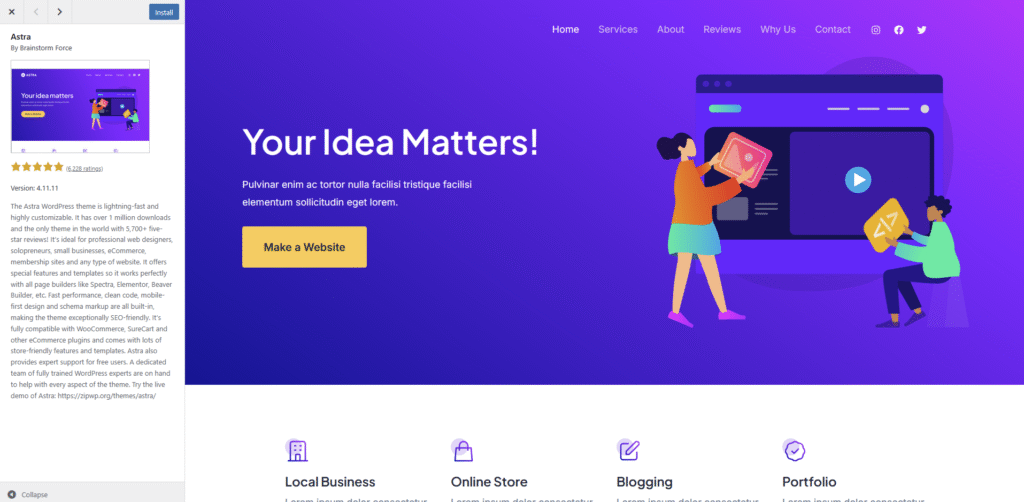
Astra is arguably the most popular non-default WordPress theme in the world, and for good reason. It’s a lightweight, blazing-fast, and incredibly versatile theme that can be used to build almost any type of website imaginable.
Why it’s great for beginners:
- Feather-light and Fast: Astra is built for speed, which is great for both user experience and SEO.
- Huge Starter Template Library: It comes with dozens of free, professionally designed “Starter Templates” you can import with one click to get a massive head start.
- Effortless Customization: You can easily change colors, fonts, layouts, and headers in the real-time WordPress Customizer.
- Block Editor Ready: It integrates perfectly with the native WordPress block editor (Gutenberg), making content creation a breeze.
- Amazing Support: With a massive user base comes excellent documentation and a helpful community forum.
Best for: Everyone. Seriously. It’s perfect for bloggers, small businesses, portfolios, e-commerce stores, and personal websites.
Kadence
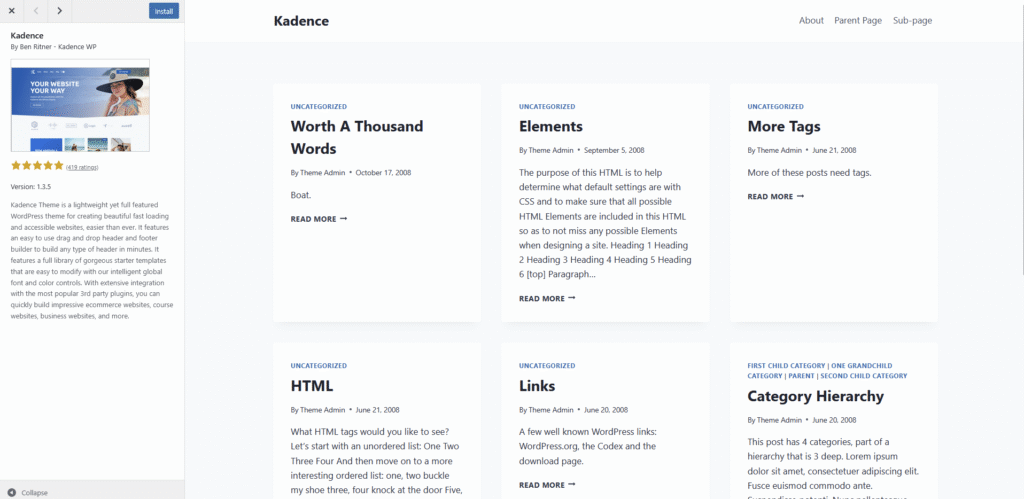
Kadence is a modern, feature-rich theme that gives you an incredible amount of control right out of the box. It’s particularly famous for its powerful (and free) Header and Footer builder, something you usually only find in premium themes.
Why it’s great for beginners:
- Advanced Header/Footer Builder: Easily drag-and-drop elements to create a completely custom header and footer for your site.
- Global Color Palette: Set your brand colors once, and they’ll apply consistently across your entire site. Change one, and it updates everywhere. It’s a huge time-saver!
- Beautiful Starter Templates: Like Astra, Kadence offers a library of gorgeous, importable starter sites to get you going quickly.
- Deep Integration with the Block Editor: Kadence is designed to work seamlessly with the block editor, giving you more control over your page layouts.
- Active Development & Support: The team behind Kadence is constantly improving the theme and offers great support.
Best for: Small businesses, creators, and anyone who wants a bit more design control without needing to write code.
Blocksy
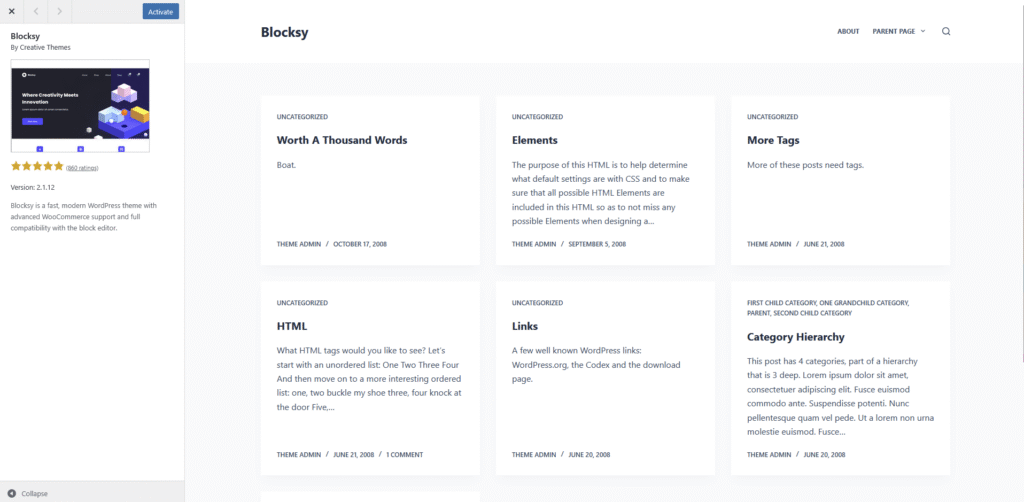
Blocksy is a rising star in the WordPress world, known for being innovative, lightning-fast, and packed with cool features. It’s built from the ground up to be fully compatible with the Gutenberg block editor, making it a joy to use.
Why it’s great for beginners:
- Blazing Fast: Blocksy is one of the fastest themes on the market, ensuring your visitors have a smooth experience.
- Live Customization: All options are in the WordPress Customizer, so you see your changes happen in real-time.
- Unique Features: It includes cool free features like a built-in cookie consent notice and a content-aware header.
- Ready-Made Starter Sites: Blocksy also offers a collection of beautifully designed starter sites for various niches.
- Excellent Documentation: Their documentation is clear, concise, and very helpful for newcomers.
Best for: Tech-savvy bloggers, modern online stores, and anyone who wants a fast, cutting-edge theme.
GeneratePress
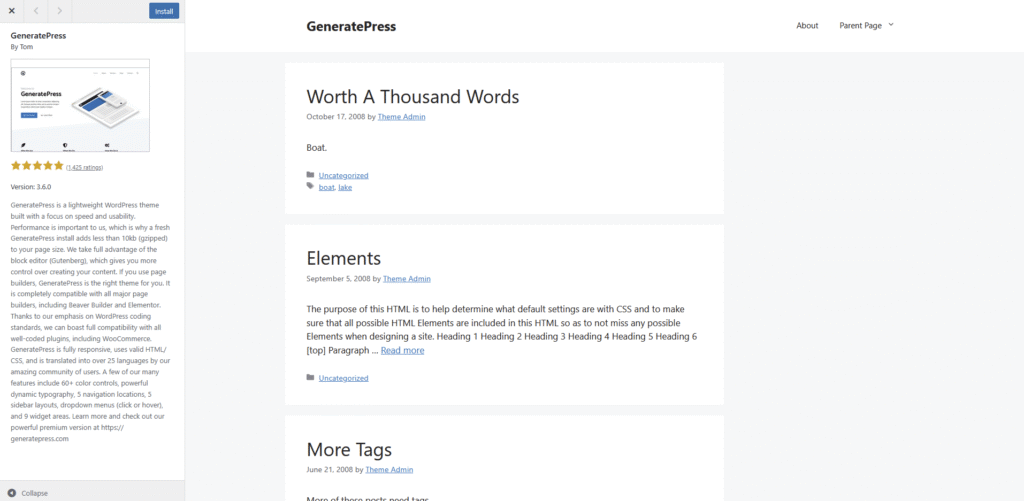
GeneratePress is the go-to choice for those who value speed and stability above all else. It’s an incredibly lightweight and clean theme that provides a rock-solid foundation for your website. It doesn’t overwhelm you with options, focusing instead on performance and simplicity.
Why it’s great for beginners:
- Unbeatable Performance: It’s one of the lightest themes available, leading to super-fast loading times.
- Simple and Clean: The free version is intentionally simple, making it less overwhelming for beginners to get started.
- Focus on Accessibility: It’s built with accessibility standards in mind, ensuring your site is usable by as many people as possible.
- Plays Nicely with Everything: GeneratePress is compatible with all major page builders and plugins.
- Stellar Support: The creator, Tom Usborne, is highly active in the support forums and is known for being incredibly helpful.
Best for: Bloggers, freelance writers, and anyone who wants a minimalist, no-fuss, and incredibly fast website.
What to Look For When Choosing a Free Theme
If you decide to venture into the WordPress theme directory on your own, keep this simple checklist in mind to avoid common pitfalls.
- Last Updated: Look for themes that have been updated recently. This shows the developer is actively maintaining it and keeping it secure.
- Active Installations: A high number of active installations (tens or hundreds of thousands) is a good sign of a theme’s popularity and reliability.
- Reviews & Ratings: Check the star ratings and read a few reviews. See what other users are saying about their experience.
- Responsive Design: This is non-negotiable. The theme must be responsive, meaning it automatically adjusts to look great on all screen sizes, especially mobile phones.
- Good Documentation: At some point, you’ll have a question. Check if the theme has a documentation site or a support forum. This will be a lifesaver later on.
How to Install Your New WordPress Theme
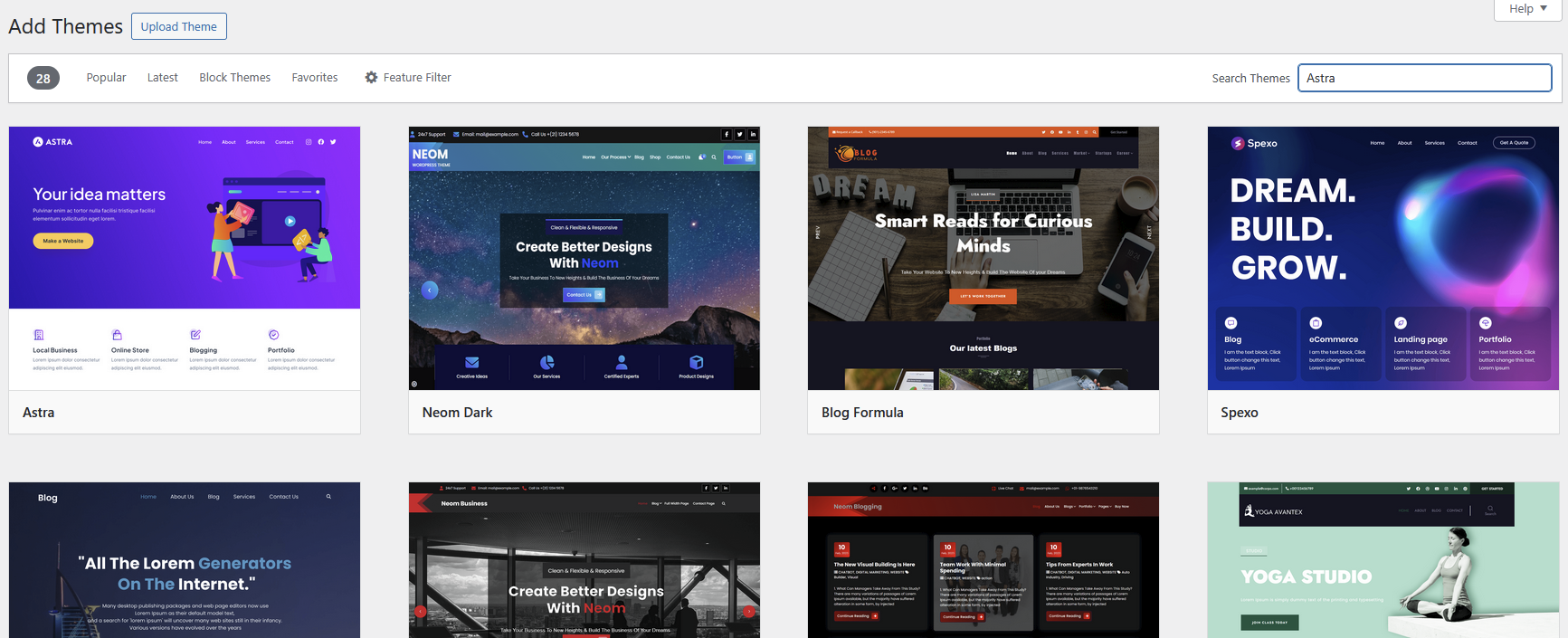
Found the one? Awesome! Installing a free theme from the WordPress directory is incredibly easy. Here’s how:
- Log in to your WordPress admin dashboard.
- In the left-hand menu, navigate to Appearance > Themes.
- On the Themes page, click the “Add New” button at the top.
- Use the search bar on the right to type in the name of the theme you chose (e.g., “Astra” or “Kadence”).
- Hover your mouse over the theme’s thumbnail and click the “Install” button.
- Once it’s finished installing, the button will change to “Activate.” Click it, and your new theme is live!
Conclusion: Launch Your Website with Confidence
Choosing your first WordPress theme is a huge step, but it doesn’t have to be a stressful one. A high-quality free theme like the ones we’ve covered today is more than powerful enough to help you build a stunning, professional, and fast-loading website.
You’ve got the knowledge, you’ve got the tools, and you’ve got a list of the best themes to get started. Your digital canvas is ready.
Now that you have your theme picked out, you’re ready to follow our 7 easy steps to make your first website and bring your vision to life!